Home-Assistant Display - Weather Station and more
After integrating more and more switches, lights and temperature sensors into Home Assistant, I had the idea to replace my classic weather station with a display for Home Assistant. I used an old cell phone, the Home Assistant app and a frame from the 3D printer as the display.
The displayed data is supplied by a self-built NAS and Docker container with Home Assistant and comes from a ConBee ZigBee USB stick and certain WLAN devices. The weather forecast comes from the Home Assistant integration "Forecast / Meteorologisk Institutt (Met.no)".
The base for the display: an old cell phone
As mentioned before, the display consists of an old cell phone and a frame from the 3D printer.
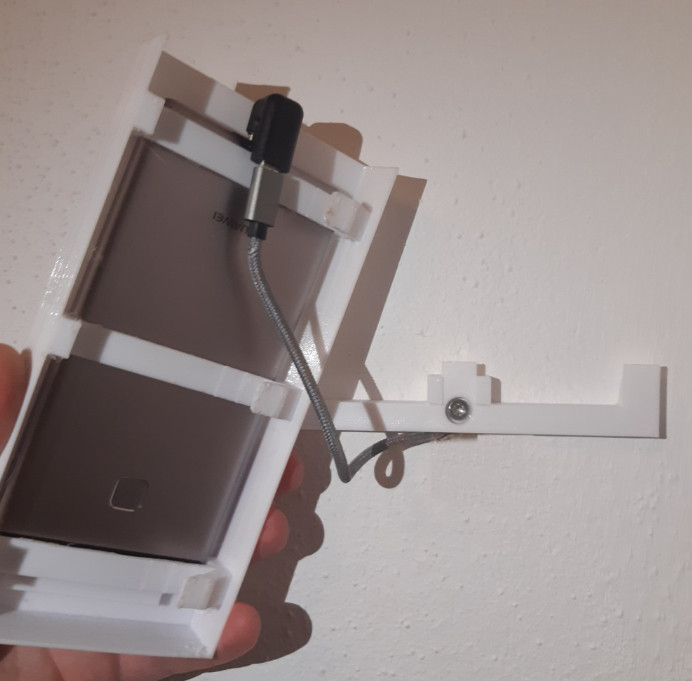
I drilled a hole in the wall for the charging cable and placed a charger in the next room.
Installed Apps
For the actual display, I installed the Home Assistant app on my phone : play.google.com/store/apps/details?id=io.homeassistant.companion.android&hl=en&gl=US.
Fullscreen
In the app in Settings, Companion App, I turned on "Fullscreen" and enabled "Keep screen On":
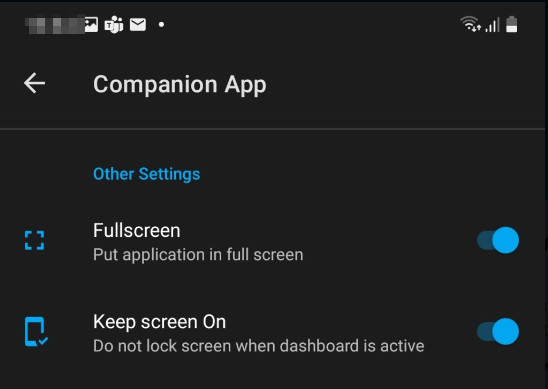
Full screen: Hide header: KIOSK Mode
The HACS repository Kiosk Mode allows hiding the header in full screen mode.

Kiosk Mode can be enabled for specific devices or users by adding the following block to the dashboard YAML code:

kiosk_mode:
  user_settings:
    - users:
        - Display
      kiosk: true
      ignore_entity_settings: true
Home-Assistant-View
To display as much information as possible on the small screen, I installed the package lovelance-card-mod from the HACS repository in HomeAssistant, see: en-ha-gui#cardmod. Lovelace-card-mod allows you to customize the elements via CSS styles, which allows you to customize the layout as you like: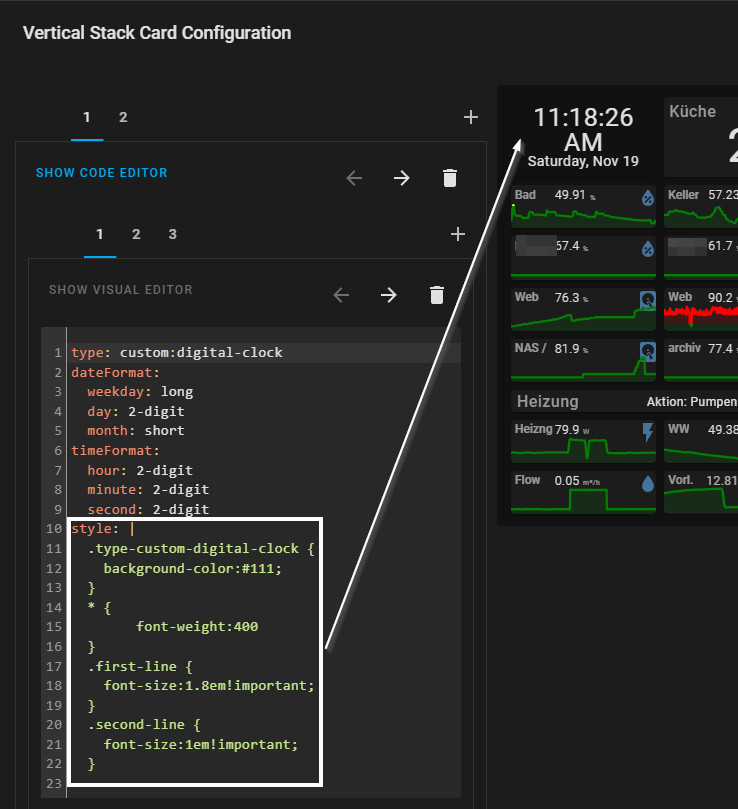
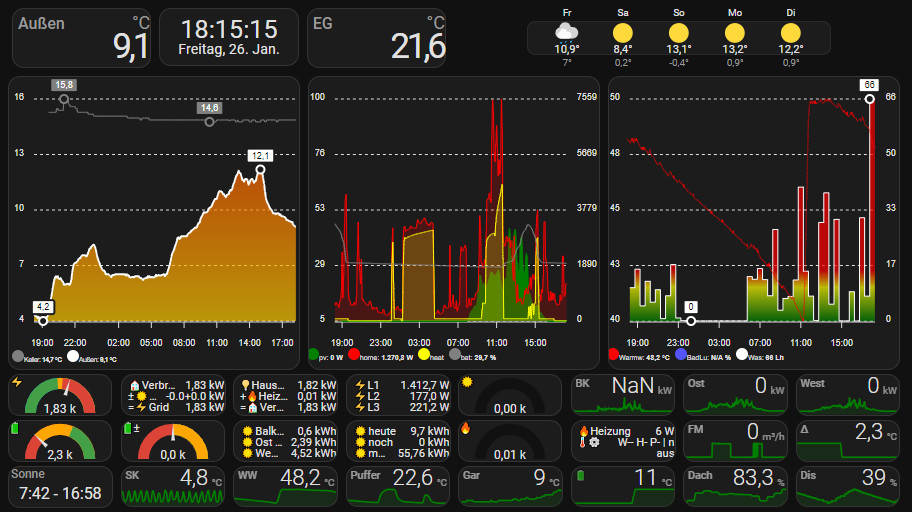
Originally I used the lovelance-layout-card package to make better use of the screen. Since the Home Assistant supports a new view type, "Sections", I no longer use the package.
Cell phone in continuous use: The battery should not be charged permanently
After only 5 months of use, I noticed a slight bulge on the display: The battery has started to self-destruct and thus finally no more space in the phone:
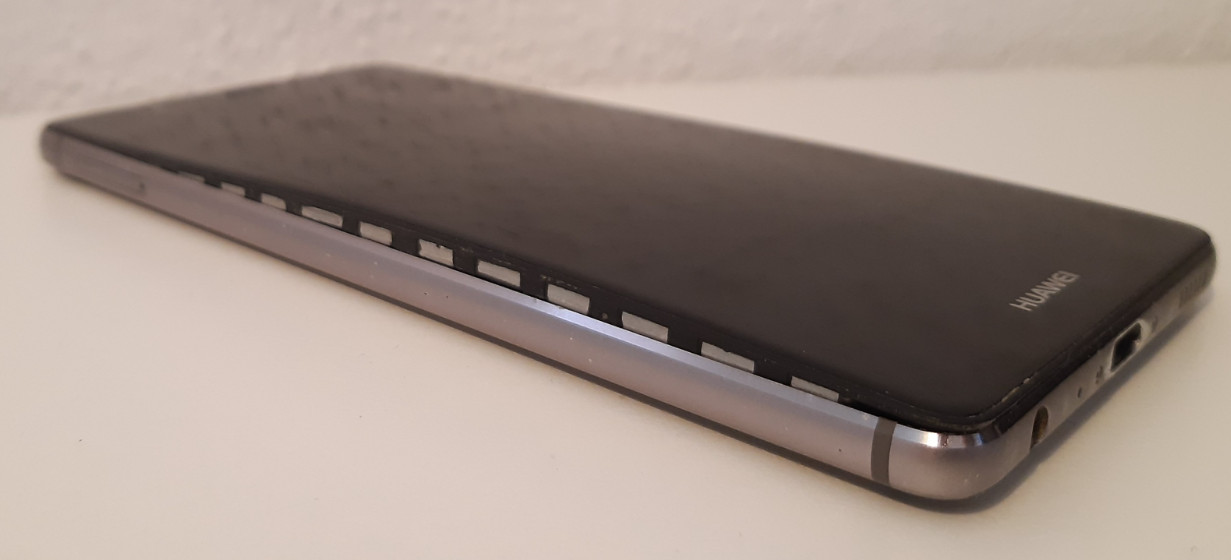
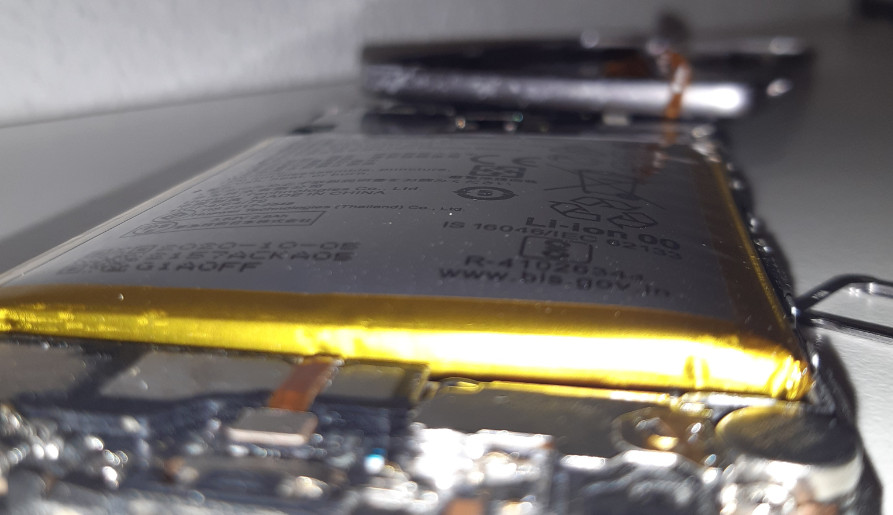
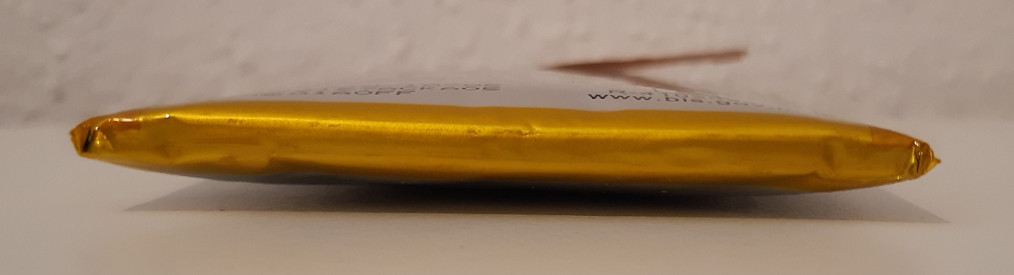
Here is a picture with the new battery:
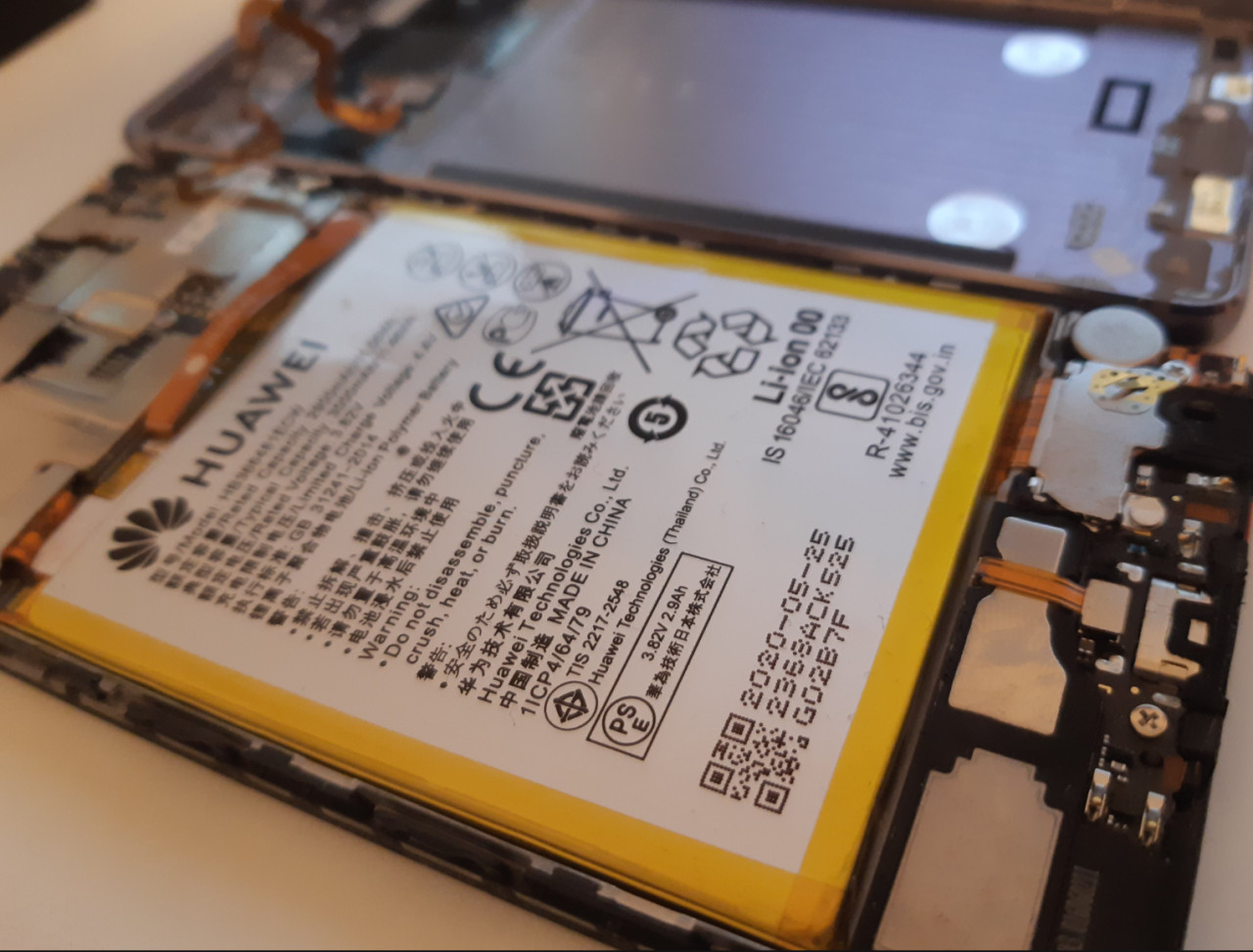
The cause is certainly that the battery is constantly charged to 100% and thus constantly exposed to the maximum voltage. In this way I destroyed 2 batteries within a year.
In the meantime, I would still have tried to operate the phone without battery, purely with the charger, whereby this became more of a very bad strobe: The display has always flashed only briefly. Even soldering a mini-battery from a toy drone could not start the phone. For this reason I now got a new battery again. To hopefully make the battery last longer this time, I try to control the charge level and run the phone in the 20-60% battery level range:
Run the battery between 20% and 60%?
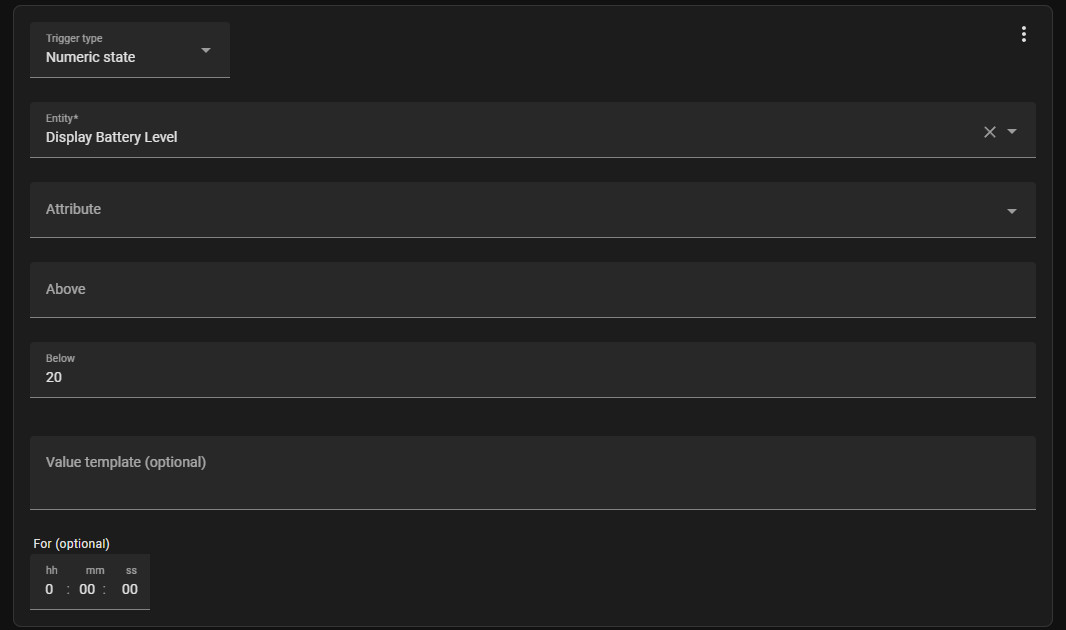
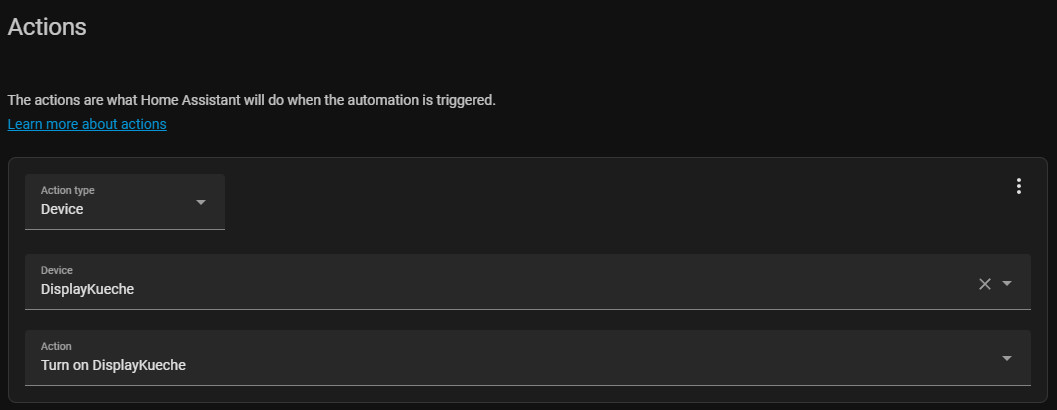
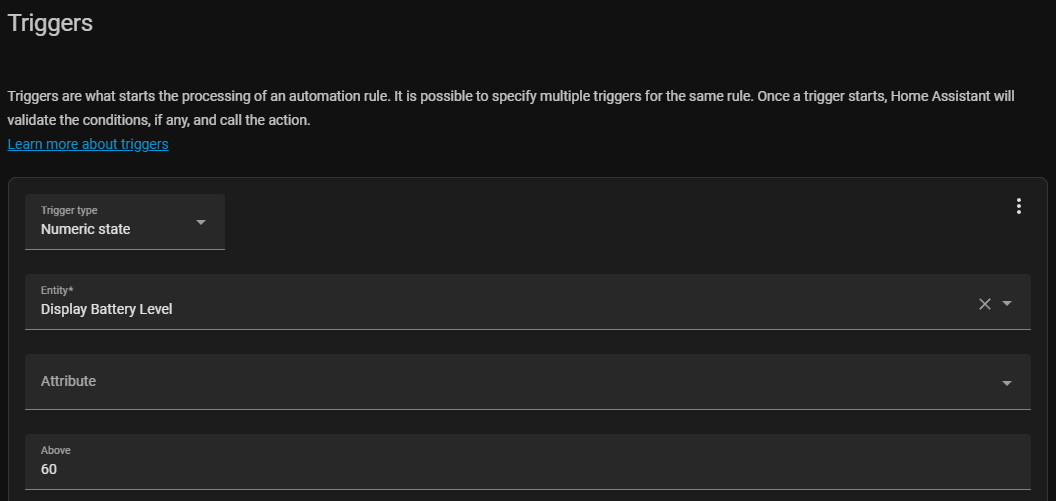
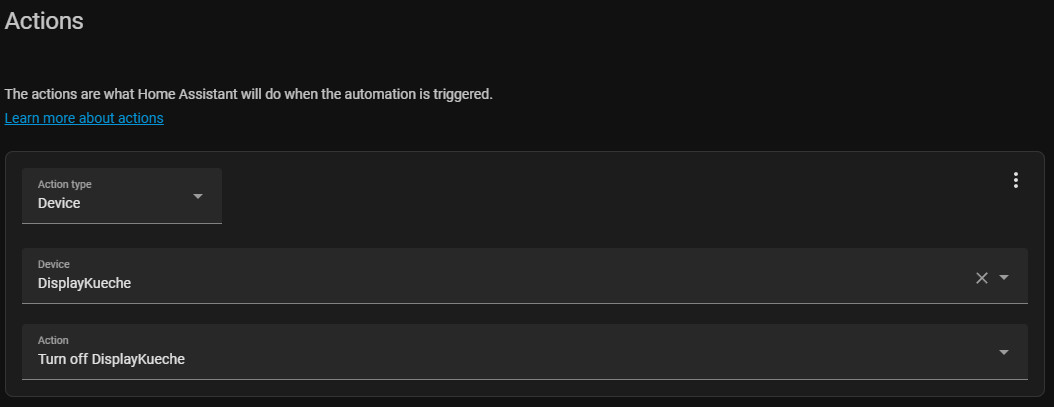
If you install the Home Assistant app, you can use it to transfer all of the smartphone's data to Home Assistant. One of the values that is transferred is the battery charge level. The state of charge enables the control of a switchable socket, depending on the state of charge. Below 20%, the charger is to be switched on; above 60%, it is to be switched off.
The battery state is then also an additional indicator on the display:
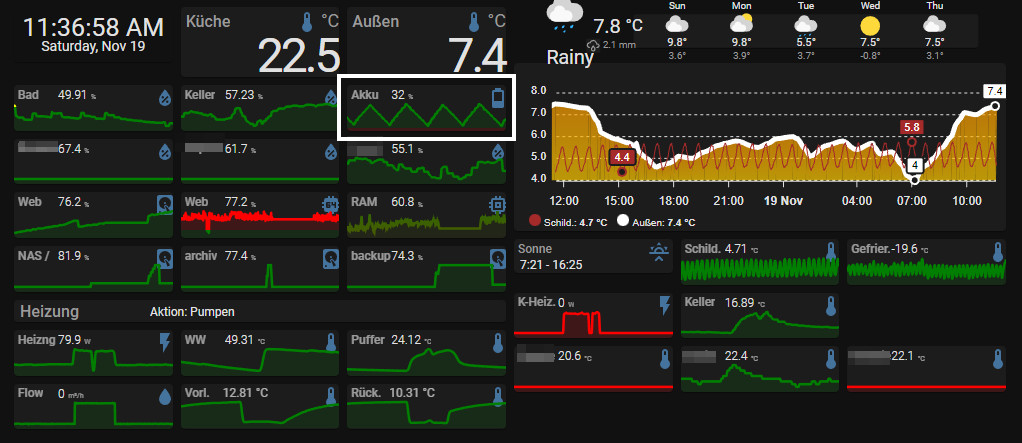


The maximum voltage in the battery is certainly lower when charging to 60%, which should extend the lifespan. However, the many charging cycles counteract this since the battery now has to be recharged several times per day. In order to charge the phone as slowly as possible, I replaced the 1.3A charger with an old 0.5A charger. The slow charging and fewer charge cycles should help the battery:


It remains to be seen how charging will affect the battery in the long run. If the battery gives up the ghost again, I will report that here.
Restart app
About once a week the Android app started to slow down until it crashed. For this reason I have added to the automation for loading also a notification for the restart of the app: "command_webview". The app is now prophylactically restarted whenever the loading state changes, here is the complete automation:
alias: display_load
description: ""
trigger:
  - platform: numeric_state
    entity_id: sensor.display_battery_level
    below: "22"
    id: startLoad
  - platform: numeric_state
    entity_id: sensor.display_battery_level
    above: 60
condition: []
action:
  - if:
      - condition: trigger
        id:
          - startLoad
    then:
      - type: turn_on
        device_id: ???
        entity_id: switch.display
        domain: switch
    else:
      - type: turn_off
        device_id: ??
        entity_id:switch.display
        domain: switch
  - service: notify.mobile_app_display
    data:
      message: command_webview
      data: {}
    enabled: true
mode: restart
App terminated unexpectedly: automatic start
If the app is terminated unexpectedly, the "App memory" value drops. In this case, the app can be restarted automatically via automation:
alias: Display-On
description: ""
trigger:
  - platform: numeric_state
    entity_id:
      - sensor.display_app_memory
    below: 0.011
condition: []
action:
  - service: notify.mobile_app_sm_a405fn
    data:
      message: command_webview
trace:
  stored_traces: 100
mode: single
For additional information on automations, see: Home Assistant Automation - Possibilities & Basics
Card-Mod inconsistent loading behavior
If some of the CSS customizations are not always applied, integrating Card-Mod directly via the configuration.yaml file has helped me:
Card-Mod is thus loaded at an earlier point in time, which means that the customizations are available more quickly when the dashboard is loaded.

Removed card-mod.js and added it to the configuration.yaml file:
...
frontend:
  extra_module_url:
    - /hacsfiles/lovelace-card-mod/card-mod.js
Android version
Another problem could be the Android version used in the future. My old smartphone currently has Android version 7, and the Home Assistant app can currently be installed from Android version 5. If the system requirements for the app change, it might not be updated anymore and in the worst case it might not work at all after an HA update.
Styles are displayed incorrectly
If certain views are not displayed correctly, this could be due to an outdated rendering engine. On Android, the app: "Android System Webview" is responsible for this and should be updated if necessary.
Temperature sensors
For the provision of the temperature I have Zigbee Aqara temperature sensors in use:

Housed in a sleeve, mounted in a protected location on the north side of my house, the sensor provides reliable temperature readings even when used outdoors. I waterproofed the sensor for this purpose, which does not affect the temperature measurement, but the humidity measurement no longer provides usable values. The sensors work over a wide temperature range: one of the sensors is even in my freezer. Even though the sensor in the freezer always shows a low battery level due to the low temperature, it still works for a long time without having to change the battery.
ESP32 temperature sensors
In addition to the Aqara temperature sensors, I use an ESP32 and wired DS18B20, and DHT11 sensors, see: DS18B20 temperature sensors ESP32, MQTT and WiFi - HowTo and DHT11 temperature sensors ESPHome.
Conclusion
A smartphone that is no longer needed can be given a new lease of life as a display for Home Assistant. The cell phone is an inexpensive and simple solution, but continuous operation, however, isnot entirely unproblematic for the battery.
 ({{pro_count}})
{{percentage}} % positive
 ({{con_count}})
Questions / Comments